

Edit Text in Any Image — Keep the Same Look
Type the words on your image and what they should say — AI rewrites them in place and rebuilds the background behind them.


How to edit text in an image in 3 steps
- 1
Upload Your Image
Drop in any photo, marketing poster, screenshot, or AI-generated image with text.
- 2
Type What to Change
Add each original line and its replacement — up to 10 changes per run.
- 3
Apply and Download
AI rewrites every change in the original lettering style. Compare with the original, then download or edit again.
Replace words in a flat image without redrawing it
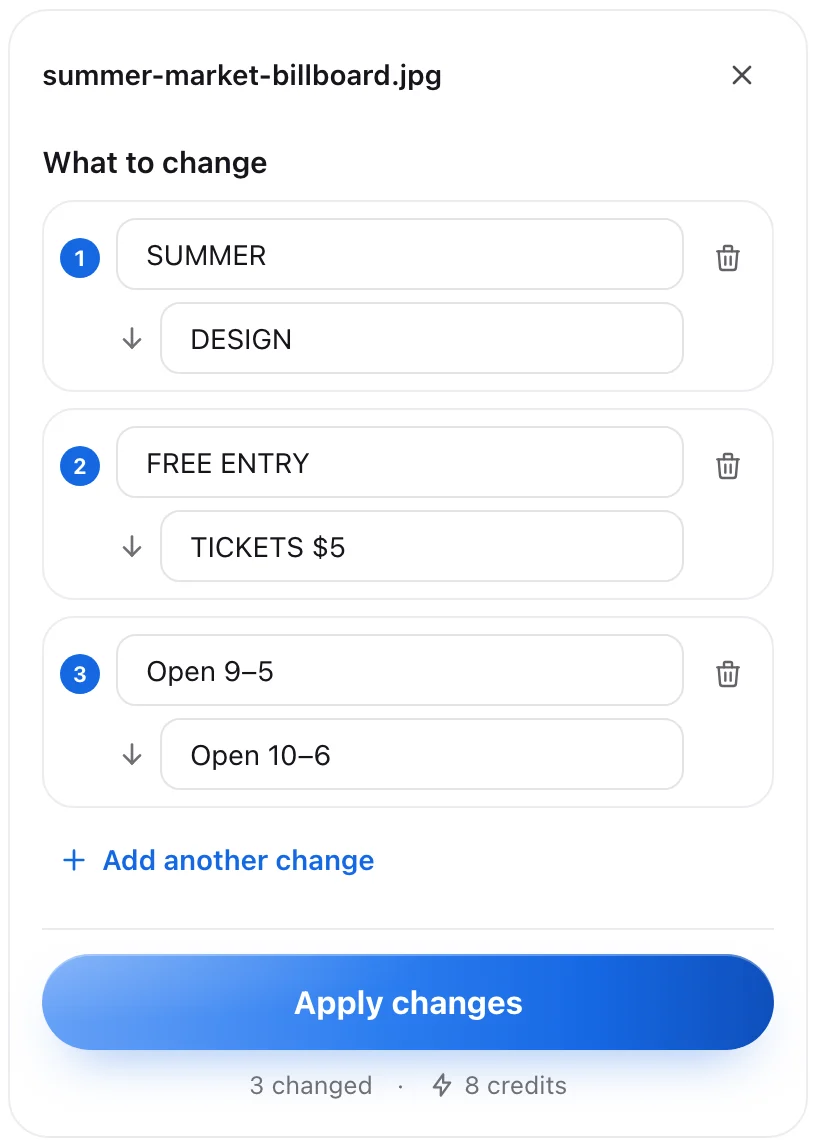 Up to 10 changes in one go
Rewrite Text in Any Image
Type the words on the picture and what they should say. AI rewrites them in place — up to 10 changes in one go.
- Pair each original line with its replacement — no masks to draw
- Change prices, dates, names or a whole headline in one run
- Up to 10 changes at once, for 11 credits



Clean Background Behind New Words
The old text is lifted off and the background behind it rebuilt, so shorter or longer words fit without smudges or patches.
- Textures, gradients and lighting are painted back where the old words were
- No blurry blocks or leftover strokes when the new text is shorter
- Works on photos, posters, packaging and screenshots
Keeps the Original Lettering Style
New words follow the typeface, weight and layout of the old ones — no font hunting, no manual styling.
- Keeps the typeface, weight and layout of the original text
- No font hunting or manual styling
- Looks designed that way, not pasted on
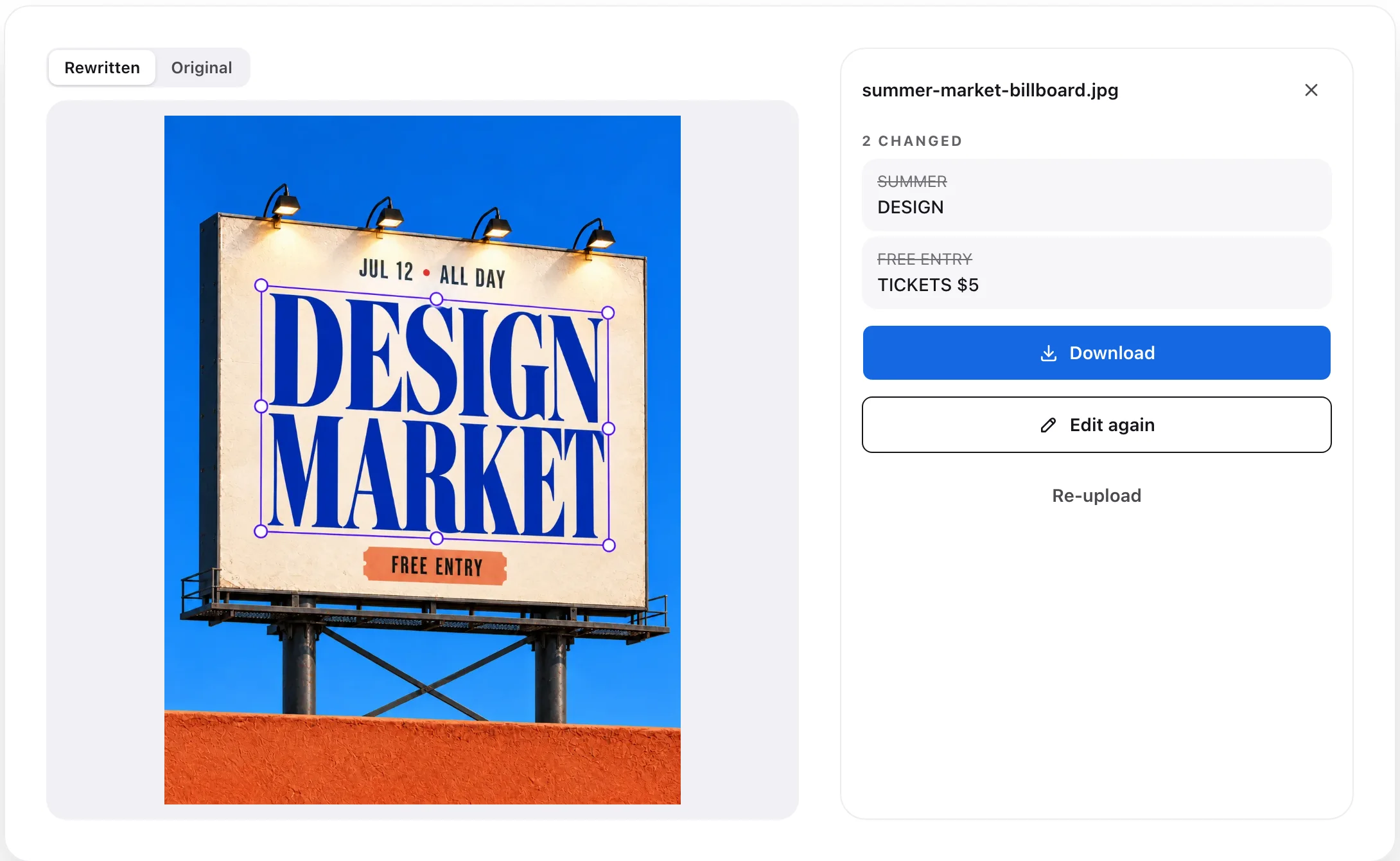 Rewritten, ready to download
Compare, Download, Keep Editing
Check the result against the original, see every change listed, then download it or make another round of edits.
- Switch between the rewritten image and the original
- Every change listed, so nothing is missed
- Download the result, edit again, or start with a new image
Fix posters, menus, ads and screenshots
Fix Typos in AI Images
Correct misspelled words in ChatGPT and Midjourney visuals instantly without rerolling prompts or losing original details.Update Posters, Menus & Flyers
Update dates, pricing, and contact info on posters or menus without PSD source files or remaking the design.Screenshots & Pitch Deck Mockups
Revise sensitive numbers and outdated copy in UI screenshots and slide decks while keeping shadows and textures intact.



Edit text in image: common questions
Yes. Everything runs in your browser — upload the image, type the words you want to change and what they should say, and apply. No software or design skills needed.
Ready to Edit and Replace Text in Your Images?
Start Editing Text Free ↗View PricingFree Credits on SignupNo Credit Card RequiredUp to 10 changes per run