

WebP to PSD Converter with Layers
Saved a banner or product image as WebP? Drop it here and get a PSD with the products, text, badges and background on their own layers.
No image?Try one of these:
Open WebP files in Photoshop as editable layers


 Filled in — no hole
Move a product without leaving a hole
- The background behind each product and element is filled in
- Rearrange a banner without patching gaps
- Works on store banners, ads and social images


Crisp letter edges, no blur
Sharp web type and buttons
- Headlines, buttons and small print are cut cleanly
- Each text block lands on its own layer
- No white halos on a new background


1
2
3
 1
 2
 3Each part, its own layer
Badges, prices and products as their own layers
- Mark the parts you need and each comes out as its own layer
- Swap a price or a badge without rebuilding the banner
- Everything you did not mark stays in place
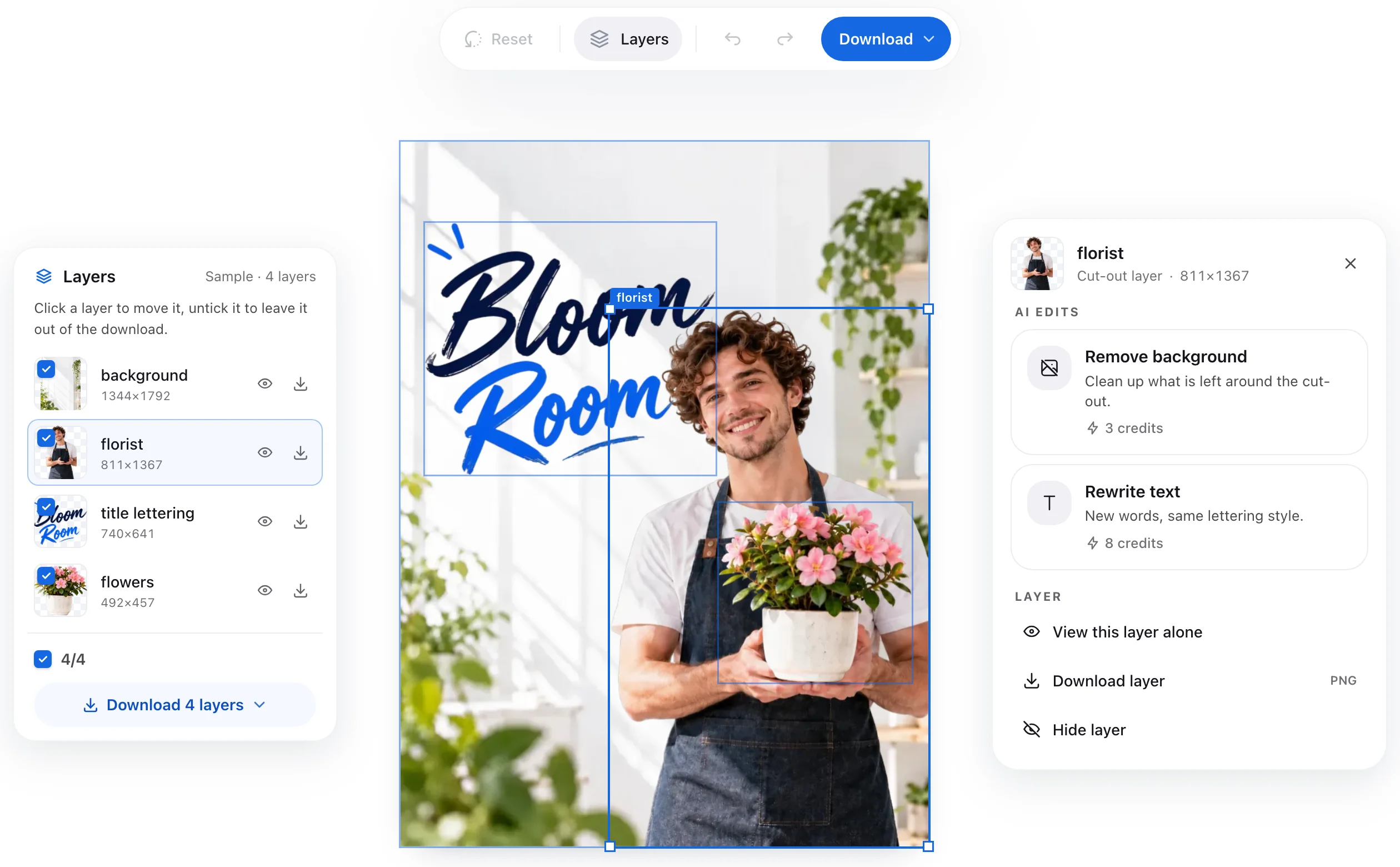
Check every layer before you download
- Turn layers on and off and move them in the browser
- No Photoshop needed to look at the result
- Download a layered PSD or transparent PNG layers
How to convert WebP to PSD in 3 steps
- 1
Upload your WebP
Drop a WebP image — a store banner, an ad or a product shot.
- 2
AI splits it into layers
Products, text, badges and background are separated, and the background is filled in behind them.
- 3
Download the PSD
Check the layers in your browser, then download a layered PSD or transparent PNG layers.







Working with another kind of image? Use the image to PSD converter — it takes any JPG, PNG or WebP.
WebP to PSD: common questions
Turn your WebP into a layered PSD
Upload a WebP and get its products, text, badges and background as separate layers.
Convert WebP to PSDBackground filled inUp to 16 layersFree credits on sign-up
Explore Related Converters
Interconnected workflows to decompose, vectorize, and export layered designs with AI.