

Convert Canva to Editable PSD with Layers Online
Convert flat Canva exports into editable, multi-layer PSDs in seconds. Freely modify text, graphics, and backgrounds with true Photoshop layers.
Why Convert Canva to Editable Layered PSD?
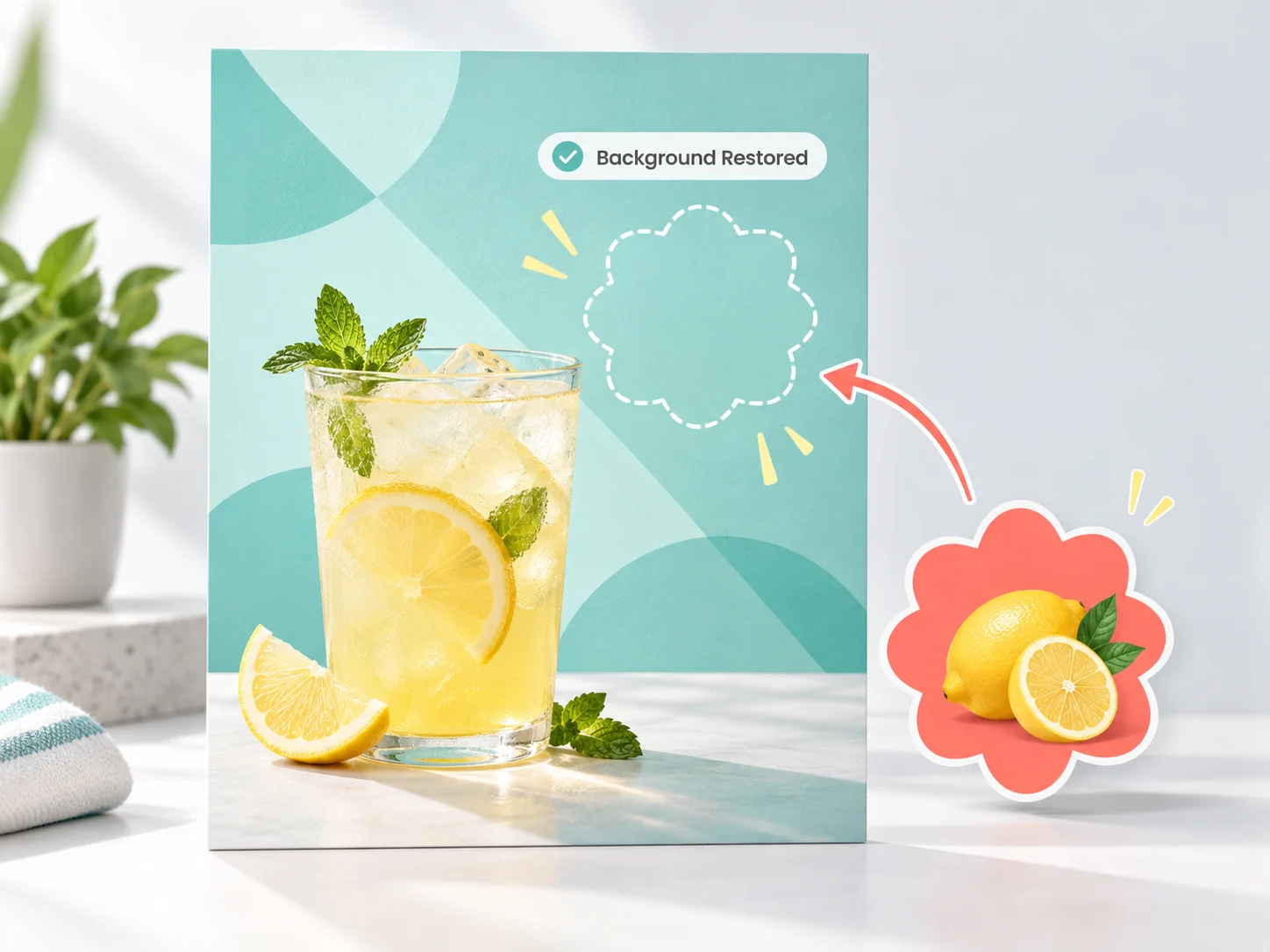
Canva Background Reconstruction: Move Elements Without Cut-Out Holes
- Restores covered backgrounds seamlessly with zero cut-out holes
- Matches original lighting, grain, and color gradients naturally
- Move or hide upper elements freely in Photoshop without manual patch stamping
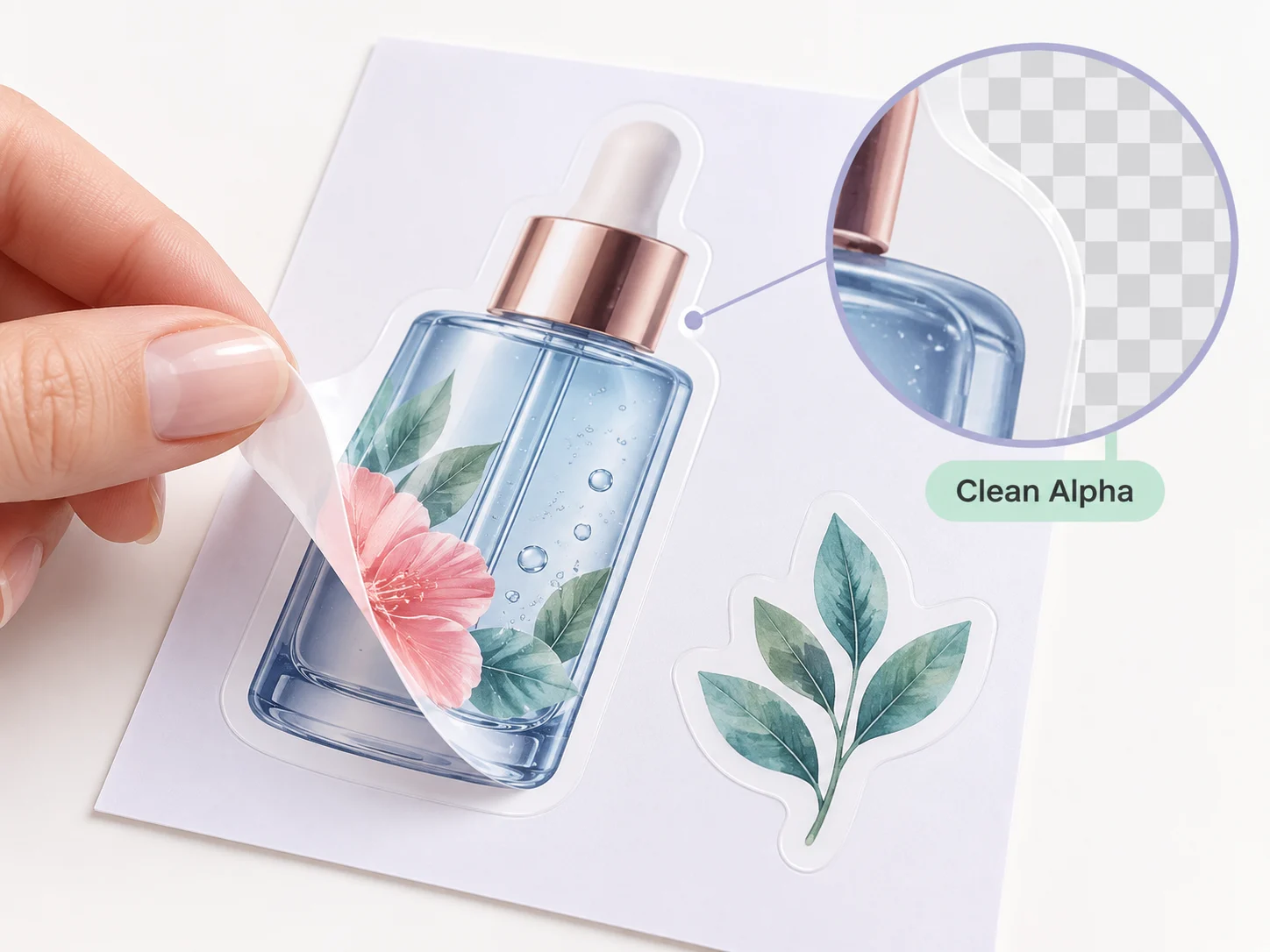
Canva Design to Layered PSD: Prepress-Grade Alpha Transparency
- Sub-pixel antialiasing suitable for commercial print and DTF transfers
- Clean vector-sharp edges on typography blocks and flat graphic badges
- No dark fringes or white halos around extracted cutout subjects
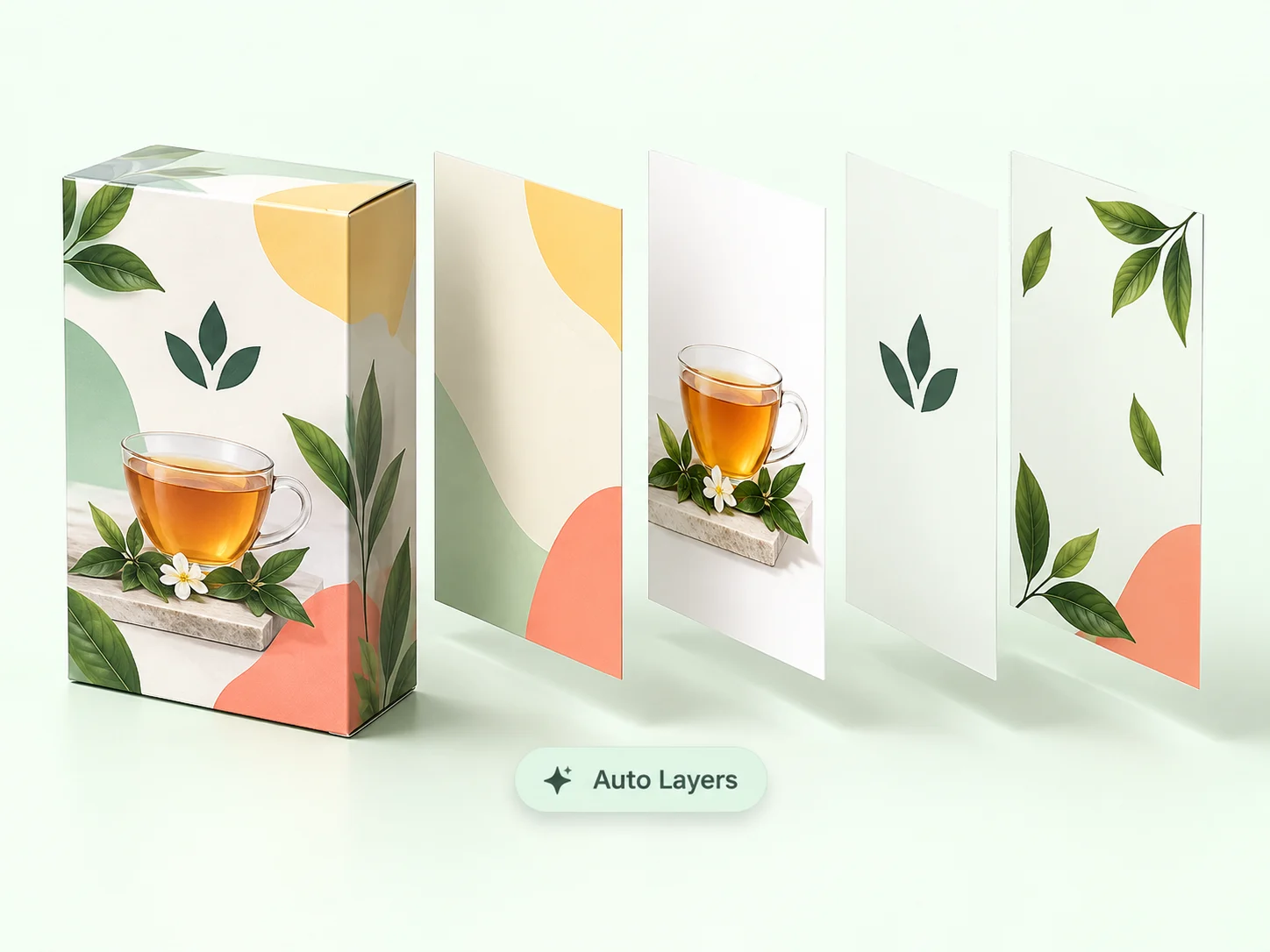
Automated Canva Layer Extraction: End the Manual Slicing Nightmare
- Automates reverse layer extraction in under 15 seconds
- Saves 1 to 2 hours of hiding layers one by one in Canva
- Eliminates tedious manual alignment and layer stack rebuilding
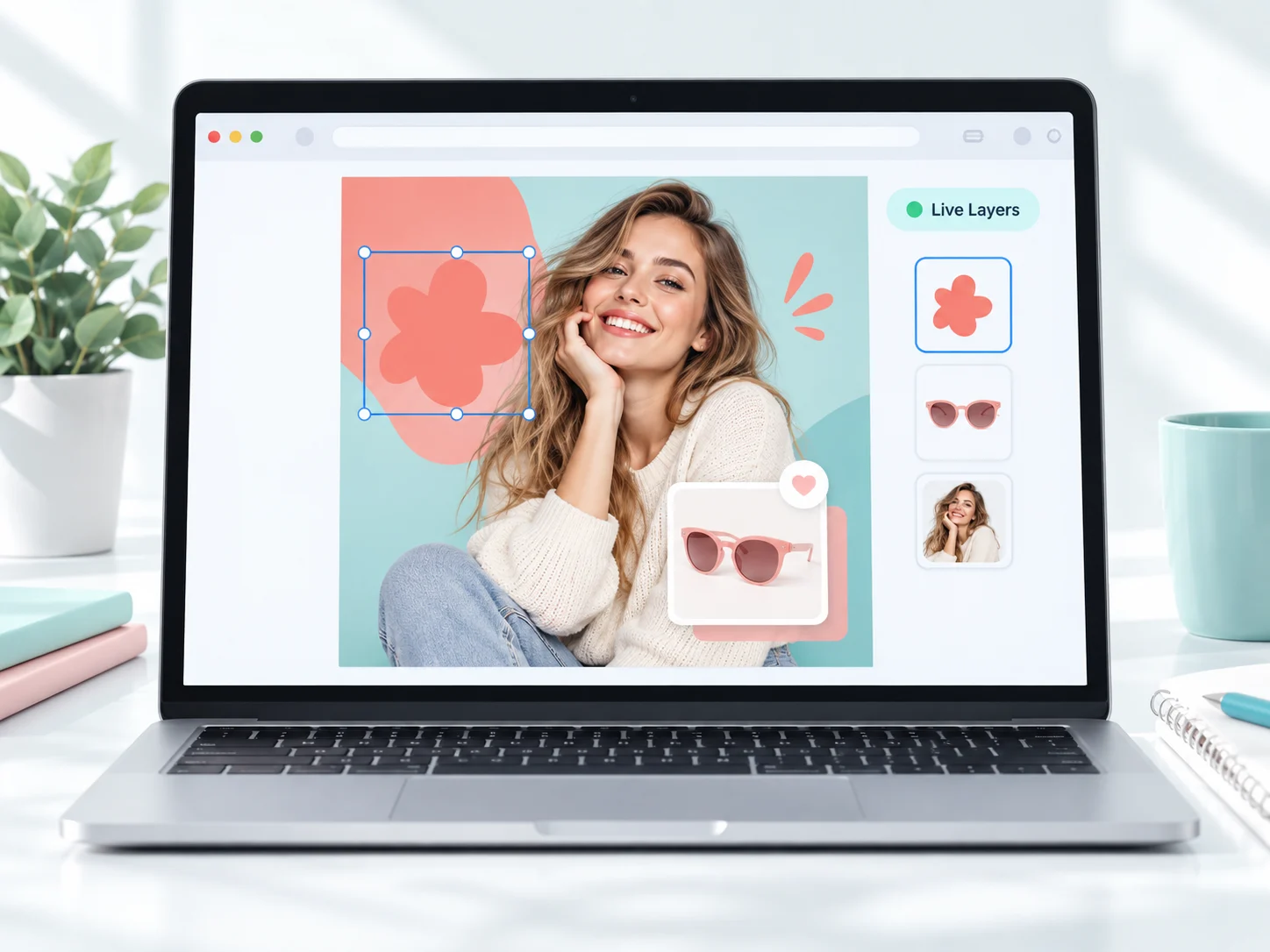
Online Canva to PSD Editor: Live In-Browser Layer Tweaks
- Inspect, toggle visibility, and reorder layer assets in real time
- Fine-tune element masks and adjustments directly in your browser
- Verify separation quality instantly before exporting to Photoshop
How to Convert Canva to Editable PSD with Layers in 3 Steps
Export & Upload Canva File
Export your design from Canva as a high-resolution PNG (2x or 3x scale). Drag and drop it into the converter above.
AI Decomposes into Semantic Layers
Our neural network automatically separates text, graphics, and subjects while inpainting occluded background plates.
Inspect & Download Native PSD
Preview and tweak layer stacks directly in our browser canvas editor, then export an Adobe Photoshop-compatible .psd file.
Frequently Asked Questions
Ready to Turn Your Canva Design into an Editable PSD with Layers?
Decompose flat Canva exports into fully editable Photoshop layers in 15 seconds. Preview and fine-tune layer stacks right in your browser.
Convert Canva to PSD NowFree in-browser layer previewNo Photoshop installation requiredSignup credits included
Explore Related Converters
Interconnected workflows to decompose, vectorize, and export layered designs with AI.